
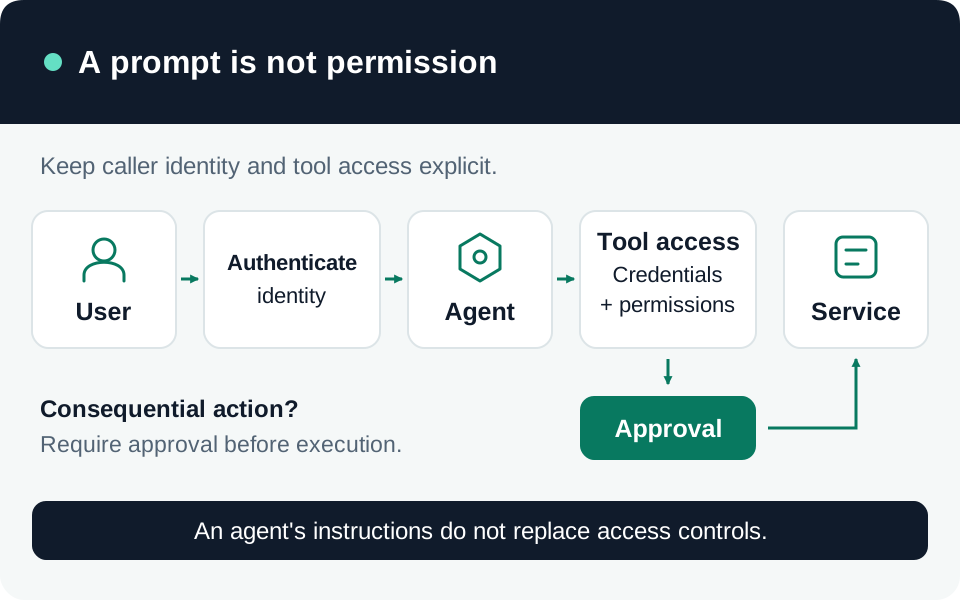
A connector is a path between an agent and another system. Approving its name is insufficient: you need to know which identity it uses, which operations it exposes, and where data can travel. This guide focuses on Copilot Studio and Power Platform data policies. Pair it with the agent permission review for the downstream authorization analysis.
Prerequisites
Inventory agents, environments, owners, connections, knowledge sources, HTTP calls, channels, and triggers. Arrange an authorized tenant or environment administrator and a test environment representative of production. Record the policy scope and the change approval process. Verify feature availability in your tenant, especially for preview endpoint controls.
Our recommended connector register includes the connector and operation, executing identity, source data classification, destination, business justification, credential owner, and removal method. Inspect nested flows and MCP-backed tools rather than stopping at the agent’s visible tool list.
1. Define permitted combinations
Power Platform data policies classify connectors into Business, Non-business, and Blocked groups. Copilot Studio supports controls over authentication, tools, HTTP requests, channels, and triggers. These are governance controls around available capabilities; a Business classification is not evidence that the connected system’s permissions are appropriate. Agent data-policy controls.
For each approved workflow, document the data movement that is required. Then identify prohibited combinations, such as an internal record source paired with an unapproved export destination. Review the default group for newly introduced connectors so future additions do not silently receive a broader decision than intended.
2. Apply policy at the intended scope
Confirm whether the policy covers the entire tenant or selected environments. Check the actual production environment, not only the maker’s development environment. Microsoft states that data-policy enforcement applies to agents and that earlier agent exemptions are no longer supported. Blocking a Power Platform connector can also block tools in MCP servers that depend on that connector. Enforcement and connector dependencies.
Our recommended rollout starts with a known agent in test. Capture its baseline behavior, apply the scoped policy, then verify a permitted path and an intentionally prohibited path. Record the policy ID and error details; do not infer enforcement from a policy merely appearing in an administrative list.
3. Treat endpoint filtering as a bounded control
Power Platform connector endpoint filtering is documented as preview and applies only to supported connectors. Microsoft says the preview is not intended for production use; do not make it your sole production destination control. Its limitations include environment variables, custom inputs, and endpoints resolved dynamically at runtime. Do not claim a complete network allowlist from design-time filtering alone. Review the exact connector and execution path, including any documented exceptions. Endpoint-filtering scope and limitations.
For a workflow that requires dynamic destinations, our recommendation is to enforce the approved destination set in a controlled service or another verified enforcement layer. A prompt telling an agent to use only approved hosts is not an endpoint control. Test literal and variable-derived destinations separately.
4. Reconcile connections during release
Use environment-specific connection references and settings when moving a solution. Microsoft notes that some Copilot Studio configuration, including manual authentication, channels, and Application Insights settings, requires downstream post-deployment work. Successful import is therefore not a complete security acceptance result. Copilot Studio ALM considerations.
| Acceptance check | Evidence |
|---|---|
| Permitted connector operation | Approved identity reaches only its intended resource. |
| Blocked capability | Maker or runtime receives the applicable policy rejection. |
| Endpoint restriction | Allowed and prohibited destinations tested on the real execution path. |
| Production configuration | Connection references, authentication, channels, and policy scope reconciled. |
| Revocation | Owner can disable the connection or capability and verify the effect. |
Frequent failure modes include a personal maker connection surviving promotion, policy coverage missing a new environment, and endpoint expressions bypassing an assumed restriction. Give each exception an owner, expiration, and compensating control. Recheck the register after adding a connector, tool, trigger, or published channel.
Go to the source