Intelligence and the boundary that failed
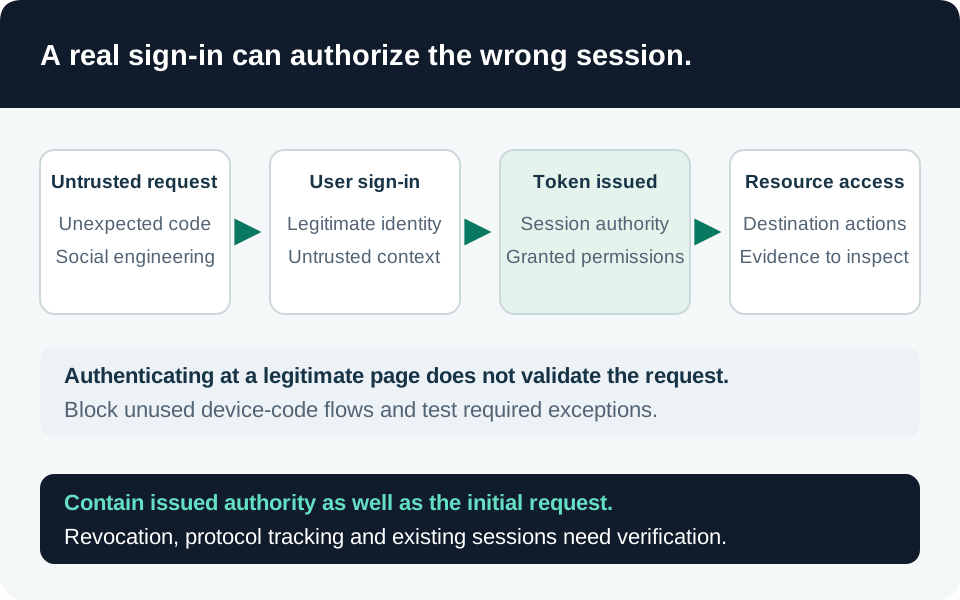
Microsoft reported Storm-2372 on 13 February 2025, describing device-code phishing observed since August 2024. Meeting-themed approaches persuaded users to authorize an attacker-initiated session on a genuine sign-in page. Microsoft observed subsequent mailbox collection through Graph. A 14 February 2025 update described use of Microsoft Authentication Broker identity, attacker-controlled device registration and Primary Refresh Tokens. On 31 July 2026, Microsoft reassessed Storm-2372 as an initial-access sub-cluster of Midnight Blizzard. These are dated vendor observations, not evidence of compromise in a particular organization. Microsoft campaign report and revisions.
The relevant failure is authorization of the wrong session. A trusted login domain and successful authentication do not prove that the user initiated the requesting application or device. There is no CVE or universal server patch for this social-engineering path. Our recommended response combines flow restriction, narrow exceptions, device governance and resource-level verification.
Determine whether your environment is exposed
Inventory people, shared-device accounts, automation and support processes that use device-code authentication. Establish who owns each use, why an interactive alternative is unsuitable, which resources it reaches and how its activity is logged. An exception for a meeting-room account has different consequences from an exception for a privileged employee.
Conditional Access can target device-code flow. Sessions remain protocol-tracked through later refreshes, so a subsequent event can be evaluated as device-code-derived even when its immediate authentication protocol differs. Inspect both the current Authentication protocol and Original transfer method when scoping the problem. Flow behavior and troubleshooting.
This is not proof that every unfamiliar device-code event is hostile. Legitimate room provisioning and command-line workflows can generate it. Conversely, a familiar location is insufficient reassurance: shared infrastructure, remote access and normal user travel can complicate network interpretation.
Harden in an operationally safe order
1. Establish policy coverage and a recovery route. Confirm Entra ID P1 or higher for users covered by the proposed Conditional Access policy, appropriate administrator access, and tested emergency access. Begin with report-only evaluation and representative accounts. Record the policy ID, target resources and every exclusion in the change record. Follow the documented blocking policy rather than adapting a screenshot from an older interface.
The general conditions reference currently labels Authentication flows as preview. Check the feature status and your organization’s deployment requirements before enforcement. Conditional Access conditions.
2. Remove unjustified device-code use. Our recommended default is to block the flow where it has no approved business purpose. Evaluate a replacement authentication design before allowing a broad developer or administrator exception. Deploy gradually, retaining an explicit rollback decision and a way to distinguish a policy denial from an unrelated application failure.
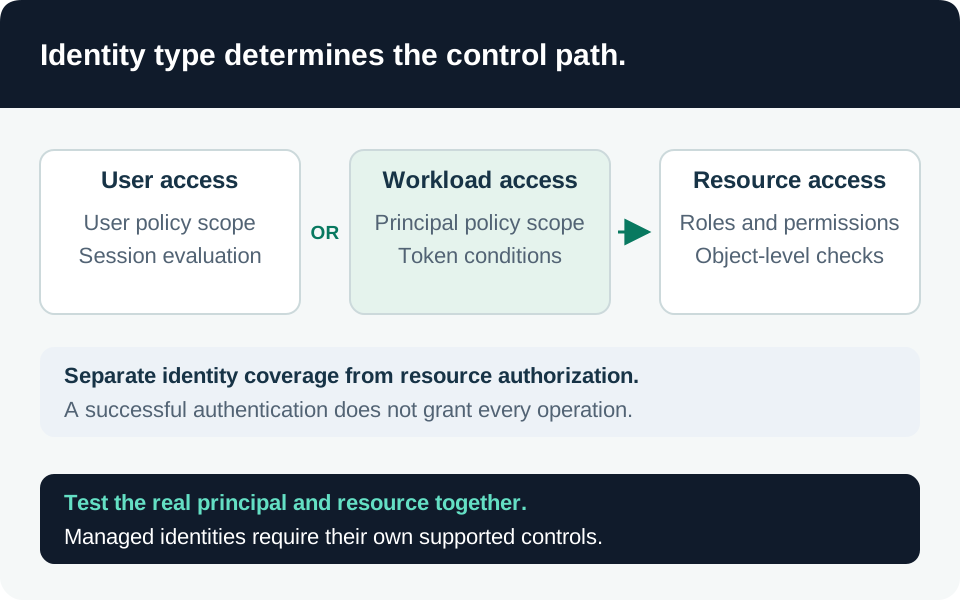
3. Treat Teams exceptions as ongoing authority. Current Microsoft guidance uses specific Teams device resource accounts, persistent exception groups and a Device Registration Service resource exclusion for scenarios that require registration. A resource account is not the technician’s everyday account. Account exclusions can permit device-code use across resources in the policy’s scope; they are not restricted to one intended device scenario. Reauthentication and reprovisioning also matter. Teams device prerequisites and exception model.
Our recommendation is to assign an owner to each exception, monitor group membership and remove abandoned accounts. A necessary persistent room exception should receive recurring review, not an expiry that silently breaks conference-room recovery. Treat the Device Registration Service exclusion as a deliberate residual exposure, rather than assuming the blocking policy protects that resource.
4. Review registration and joining separately. Limit who can join devices according to the deployment model and examine the effective enrollment configuration. Joining, registering and enrolling are related but different states; a device object alone does not demonstrate management or compliance. Entra join planning.
If using Conditional Access for the Register or join devices user action, follow Microsoft’s instruction for the corresponding legacy device-settings MFA toggle. Do not independently enable conflicting mechanisms and assume both are enforced. Registration MFA remains one control within the design, not proof that the owner of a new device is legitimate. Registration policy configuration.
Investigate a suspected session
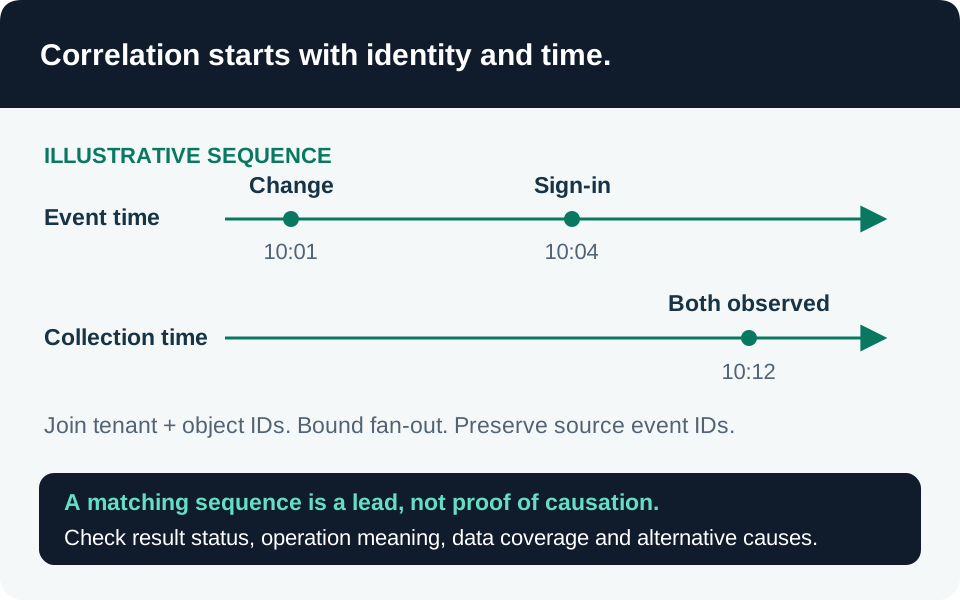
Start with the user, source message, UTC interval, application and resource identifiers, correlation ID and any newly registered device. Preserve relevant message and audit evidence through the organization’s response procedure. Ask whether the user expected the exact device/application authorization, not merely whether they remember signing in.
Entra sign-in ingestion into Sentinel requires P1 or P2; other Entra log categories have different requirements. Confirm that the relevant categories were collected during the incident interval and that retention covers the first suspicious event. Connector prerequisites.
Use the site’s Conditional Access failures and risky sign-ins recipes as supporting context. Neither detects every successful device-code phish or attributes activity to Storm-2372. Authentication-method changes can reveal a separate persistence lead; they do not inventory new device registrations. Review the actual device and resource records separately.
Our investigation sequence follows the authorization into the destination: determine whether mailbox or file access occurred, whether internal phishing messages were sent, and whether credentials or permissions changed. A successful token event is not itself proof of successful data extraction. Preserve negative findings together with their coverage limits.
Contain and prove recovery
For a credible compromise, use the authorized identity response process to block new access, revoke sign-in sessions and inspect suspicious device identities. Coordinate with application owners because access tokens and application-issued sessions can remain usable until their own invalidation conditions are met. Do not describe a password reset or refresh-token revocation as instant universal logout. Revocation behavior.
The following acceptance tests are our proposed operational gate, not results already measured:
| Test | Evidence required |
|---|---|
| Ordinary account starts an unapproved device-code flow | Intended policy blocks it; the denial identifies that policy |
| Approved room is provisioned and later reauthenticated | Both approved scenarios work with the documented exception |
| Excluded account requests another resource | Residual access is understood and accepted or narrowed by other controls |
| Later refresh uses another protocol | Original transfer method and policy outcome explain the result |
| Suspicious device is disabled and sessions revoked | Resource-side checks establish when access actually stops |
| Legitimate user returns after containment | Required access is restored without recreating a broad exclusion |
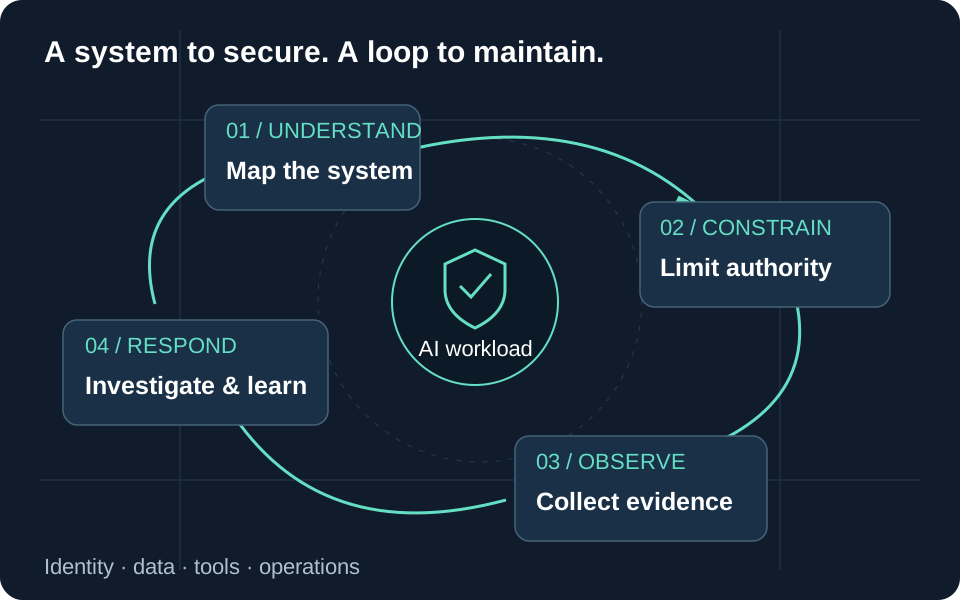
Record the evidence, remaining uncertainty and next review owner. Use the identity control guide and incident-response guide to connect this campaign-specific response to the broader workload controls.
Trace the evidence
Primary intelligence & product guidance
- Microsoft Threat Intelligence — Storm-2372 device-code phishing campaign ↗
- Microsoft Learn — Authentication flows in Conditional Access ↗
- Microsoft Learn — Conditional Access conditions and feature status ↗
- Microsoft Learn — Restrict device-code flow for Teams devices ↗
- Microsoft Learn — Block authentication flows ↗
- Microsoft Learn — Plan Microsoft Entra join deployment ↗
- Microsoft Learn — Require MFA for device registration ↗
- Microsoft Learn — Revoke user access in an emergency ↗
- Microsoft Learn — Send Entra ID data to Sentinel ↗