Dated intelligence, current defensive objective
On 15 May 2024, Microsoft described Storm-1811 abusing Quick Assist after social-engineering contact, with activity observed from mid-April. Some approaches paired an email flood with a supposed support call. The reported chain involved additional remote-management tools and malware, with Black Basta ransomware as an eventual outcome. A June 2024 update added Teams messages and calls impersonating help-desk staff, observed at the end of May. Microsoft campaign report.
These observations explain a defensive pattern; they do not identify the actor behind every support scam. This dossier contains no CVE because the entry point is misuse of legitimate remote-support functionality. Updating Quick Assist is appropriate maintenance, but a software update does not establish that an unsolicited helper is authorized.
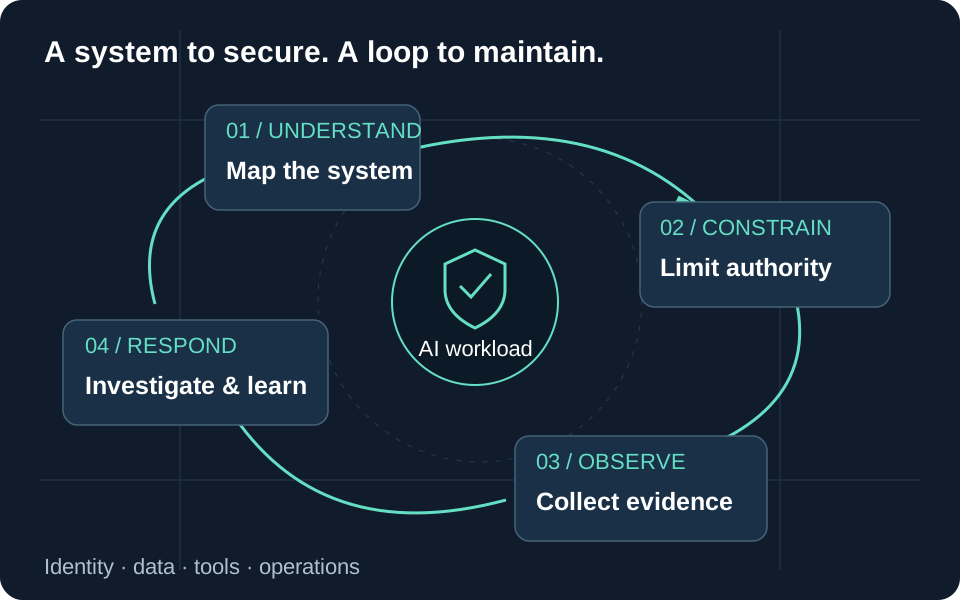
Our objective is to break the chain between external persuasion, remote control and privileged follow-on actions. The hardening and validation procedure below is a recommended operating model, not a report of tests in a customer environment.
Scope the real support boundary
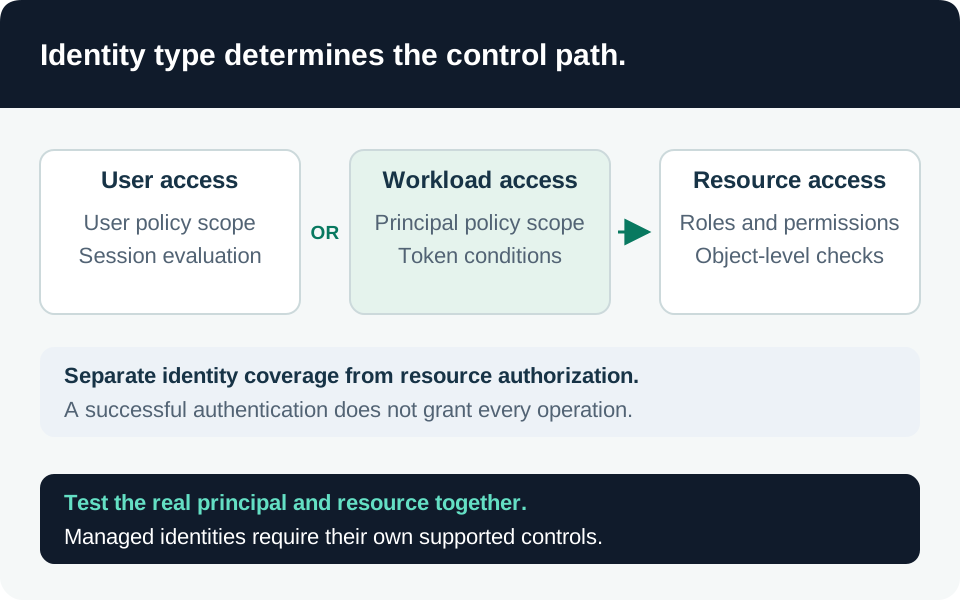
Quick Assist allows a helper to view or control a sharer’s session after user approval. The helper can authenticate with a Microsoft account or Entra ID; the sharer does not need to authenticate, and the participants need not share an organizational domain. Its traffic uses Microsoft relay services over HTTPS. Therefore, a Microsoft service endpoint, a successful sign-in or an encrypted connection does not establish organizational support authorization. Quick Assist contract.
Inventory installed remote-control products, portable alternatives, browser-based support, support contractors and the management policies that allow them. Include workstations used to administer Microsoft 365, Azure or AI infrastructure: interactive access to an already authenticated operator can expose much more than the local desktop.
Our recommended inventory records the approved support product, who can initiate assistance, the permitted target population, elevation authority, session evidence and the user’s verification channel. A purchased tool without these assignments remains an unmanaged access path.
Harden the initial contact and control paths
1. Establish a verifiable support procedure. Publish an internal help-desk contact path and require the employee to initiate or independently verify the support request through it. A ticket number or display name supplied by the caller is not independent verification. Train users to stop an unexpected session without first negotiating with the caller; make that action operationally safe by giving them a clear escalation route.
Use short exercises that test recognition and reporting without collecting passwords or exposing real production sessions. Our acceptance criterion is that staff can reach the actual support team when under pressure, including during an email flood.
2. Reduce unnecessary Teams reachability. Review organization-level external access and assigned user or group policies. Where business requirements allow, use an approved partner-domain set and restrict users who do not need external contact. Current Teams policy behavior includes granular domain settings, so verify the effective assigned policy rather than relying only on the organization-wide screen. External access configuration.
External access, guest access and anonymous meeting participation are different controls. Restricting one does not close the others. Review screen-control permissions and lobby/presenter behavior for externally reachable meetings as separate decisions. Test an approved partner and an unapproved external account before broader enforcement. Teams attack-surface guidance.
3. Remove or constrain unused remote-assistance paths. If Quick Assist has no approved business role, use managed application controls to prevent its use and verify that the policy survives user installation attempts and device reprovisioning. If it remains necessary, document the limited support use and monitor the surrounding endpoint activity. A narrow application or service restriction needs validation; indiscriminately blocking shared Microsoft authentication or collaboration domains can disrupt unrelated services.
This is our implementation recommendation: first test in a pilot group, confirm the approved alternative works, and then expand. Removing one application does not prevent an attacker from persuading a user to install another remote tool.
4. Evaluate enterprise support controls explicitly. Intune Remote Help requires organizational identities and same-tenant participation. It supports scoped helper permissions, including distinct view, control and elevation capabilities. Licensing is additional to Intune Plan 1 or Plan 2; the normal Windows helper and sharer both need Remote Help licensing. Confirm platform-specific limitations before choosing it as the replacement. Remote Help planning.
Our recommended role design gives first-line support only the capabilities and target groups it needs. Separate elevated or unattended access from ordinary attended support. Review built-in role contents rather than assuming a help-desk role is view-only, and test both the helper’s permission and the target’s scope. Deployment and RBAC.
Investigate behavior beyond the tool name
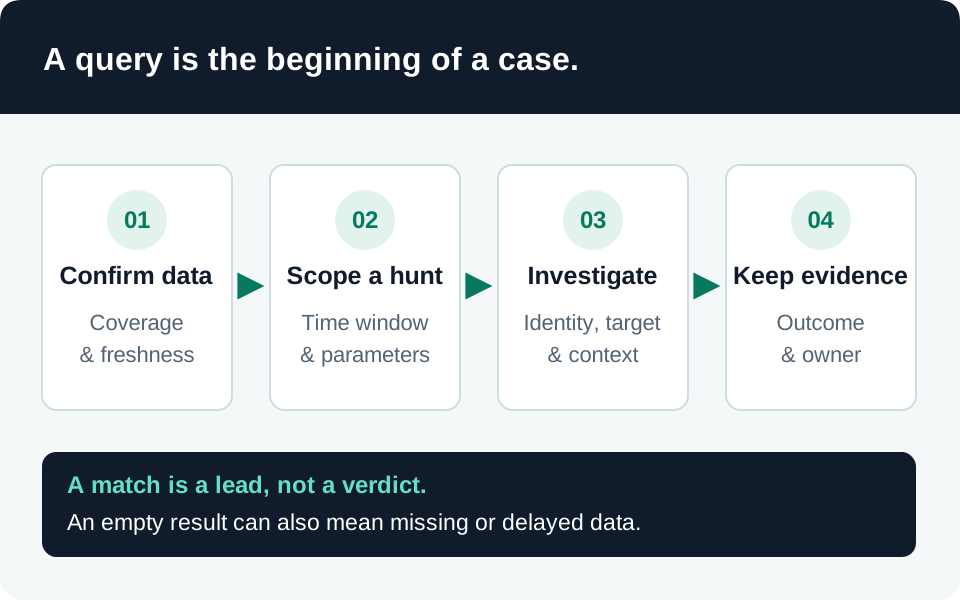
Preserve the original contact, user report, support-ticket context, device identity and UTC timeline. Establish whether the session only displayed the screen or granted control, then examine downloads, new applications, process ancestry and subsequent authentication changes. Legitimate support may also launch administrative tools, so compare the actions with the approved task and named helper.
Defender XDR’s DeviceProcessEvents can provide process-creation evidence when the relevant Defender for Endpoint service is deployed and devices are reporting. Validate licensing, onboarding, permissions and retention before interpreting an empty hunt. Do not assume every mouse action or viewed secret produces a distinct process event. Endpoint hunting schema and population requirements.
The site’s security-alert inventory helps organize available alerts; it is not a Quick Assist detector or authoritative incident state. Risky sign-ins and authentication-method changes are supporting identity pivots when the investigation suggests credential or session exposure. Neither proves attribution to Storm-1811.
Avoid treating a historical hash or remote-tool filename as an exhaustive indicator set. Our preferred investigation joins the social contact, authorized support record, endpoint activity and destination access into one evidence-backed sequence, while retaining plausible benign explanations.
Containment and acceptance evidence
For credible malicious control, follow the authorized endpoint response process to terminate the session, isolate the device when appropriate, preserve evidence and assess additional persistence. Restore a trustworthy support path before returning the machine to service. Revoke exposed identity sessions and inspect resource activity as needed; application sessions and existing access tokens can require separate containment. Identity revocation limits.
| Validation case | Required result |
|---|---|
| Unsolicited support approach | Employee reaches the known internal help desk independently |
| Unapproved external Teams contact | Effective policy behaves as intended; approved partners still work |
| Disallowed remote-assistance application | Managed policy blocks it without breaking the approved support route |
| Authorized helper outside assigned scope | Assistance is denied for that target |
| View-only helper requests elevated control | Role boundary is enforced and the outcome is recorded |
| Simulated suspicious session in a test environment | Responders can link contact, device, process and identity evidence |
| Recovered endpoint returns to service | Persistence review and required credential/session actions are documented |
These tests establish your control evidence, not immunity to future social engineering. Keep ownership and exceptions with the telemetry baseline and incident-response procedure, and revisit them after support-tool or Teams policy changes.
Trace the evidence
Primary intelligence & product guidance
- Microsoft Threat Intelligence — Quick Assist abuse leading to ransomware ↗
- Microsoft Learn — Quick Assist behavior and security considerations ↗
- Microsoft Learn — Manage Teams external meetings and chat ↗
- Microsoft Learn — Reduce the Teams attack surface ↗
- Microsoft Learn — Plan Remote Help with Intune ↗
- Microsoft Learn — Deploy Remote Help and scope helper permissions ↗
- Microsoft Learn — DeviceProcessEvents hunting schema ↗
- Microsoft Learn — Revoke user access in an emergency ↗