
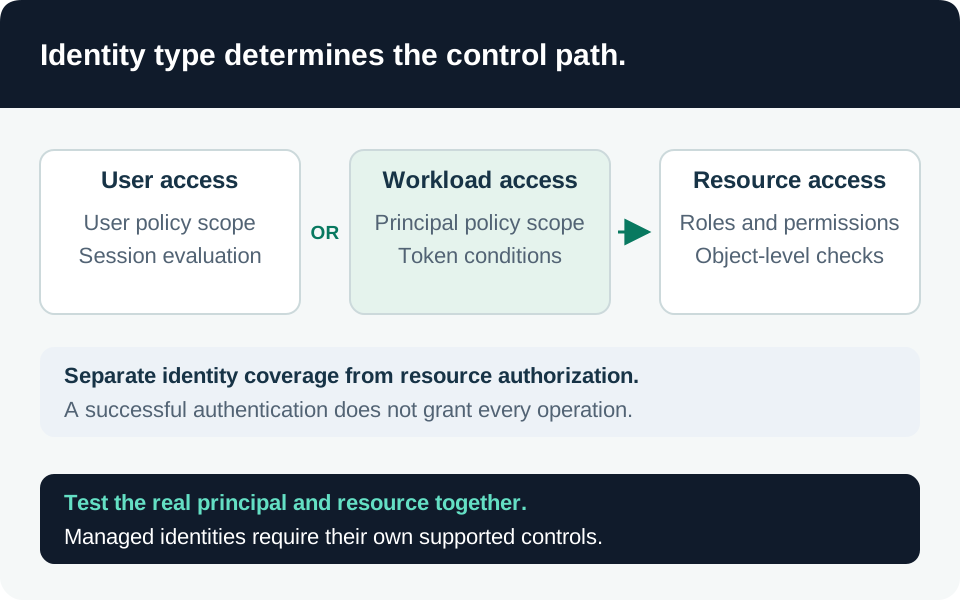
An operator who cannot read a production prompt might still change the agent identity, replace its tool endpoint, or disable the logs that would show an incident. Privileged-access design must follow those indirect paths. This guide proposes an operating model for human administrators and release identities; its acceptance tests require execution in your own environment.
Inventory the ability to change trust
Build an authority graph across the directory, subscription, resource group, AI project, data stores, deployment system, and observability workspace. For each assignment, identify both direct actions and powers to grant another identity access. Capture inherited and group-based assignments, owners of privileged applications, and automation that can rewrite role definitions.
Treat four duties separately: changing the application, changing its authority, reading sensitive evidence, and approving access. The same small team may cover several duties, but the system should make exceptional combinations visible. Assign a named owner to each critical resource and record the narrowest scope at which the operational task works.
Key Vault illustrates why control-plane labels can mislead. Under its legacy access-policy model, a principal with vault-write permissions can grant itself data-plane permissions. Microsoft recommends RBAC to improve that separation. Inspect the deployed authorization model instead of assuming “Contributor cannot read secrets” is always true. Key Vault authorization comparison.
Build human activation around the task
PIM supports eligible Azure resource roles that users activate when needed, alongside active assignments. Conditions are available for supported role/action combinations, not as a universal predicate over every Azure permission. Verify the resulting role definition and scope before relying on an activation. Assignment behavior.
Our recommended activation request names the resource, intended operation, change record, expected duration, and recovery method. Require a distinct approver for changes that can grant broad data access or weaken evidence collection. A ticket number with no reviewable plan is weak approval evidence. Give approvers a documented fallback when the primary owner is unavailable; never make a production incident depend on one person’s inbox.
PIM role settings are specific to both role and resource. Settings configured at subscription scope are not inherited as PIM settings by resource-group assignments. Authentication context can enforce activation requirements, but that activation check does not prevent use of the activated permissions from another session, device, or location. A normal MFA requirement may already be satisfied by an earlier session. Role-setting and activation limitations.
Keep resource-access Conditional Access policy and privileged workstation controls alongside activation policy. Test them separately. An “approval required” screenshot proves a setting exists; it does not prove no alternate standing assignment bypasses it.
Handle automation as automation
Service principals cannot receive eligible assignments requiring interactive activation, although time-limited active assignments are supported. Do not model a release bot as an administrator who will complete MFA on demand. PIM deployment planning.
For deployment automation, use a narrowly scoped federated identity, separate build and release responsibilities, and constrain which reviewed workflow can obtain the credential. Place exceptional grant-management operations in a distinct workflow with a short change window and recorded output. Inventory the permissions needed to roll back as carefully as those needed to deploy; broad rollback credentials left unused for months remain live authority.
PIM requires Entra ID P2 or Entra ID Governance licensing for covered users, including relevant eligible users, approvers, and reviewers. Check the current licensing categories before rollout. Do not assume licensing one administrator covers the operational team. Licensing requirements.
Make evidence useful to an investigator
Record the activation ID, principal object ID, requested scope, approval decision, expiry, and associated management events. Connect this evidence to the change manifest and deployed version. An activation alone is not evidence that a particular operation happened; a management event without an activation can reveal a standing or alternative assignment.
Review the authority graph after organizational changes, app ownership transfers, and emergency repairs. Check whether a person who lost an eligible role still owns an application with equivalent authority. Monitor direct assignments outside the intended PIM process and changes to the policy or groups that protect activation.
Acceptance and recovery matrix
| Scenario | Required result |
|---|---|
| Eligible operator before activation | Cannot perform the privileged target action |
| Valid approved activation | Works only for the intended role and scope |
| Lower-scope assignment | Its own PIM settings are verified explicitly |
| Alternate group or standing role | Bypass is identified and removed or documented |
| Expired activation | Continued access is tested at the resource, including cached sessions |
| Release identity | Uses its limited noninteractive authorization path |
| Primary approver unavailable | Approved emergency procedure remains usable and auditable |
| Evidence reader without data-read approval | Cannot retrieve protected prompt or secret content |
Rehearse emergency access in an isolated exercise, including the steps to restore normal controls afterward. Preserve an independent path to inspect role changes when the AI application is unhealthy. The deliverable is an authority map, an activation policy per critical scope, and evidence from allowed and denied operations. Continue with Conditional Access boundaries and the release evidence checklist.
Go to the source