
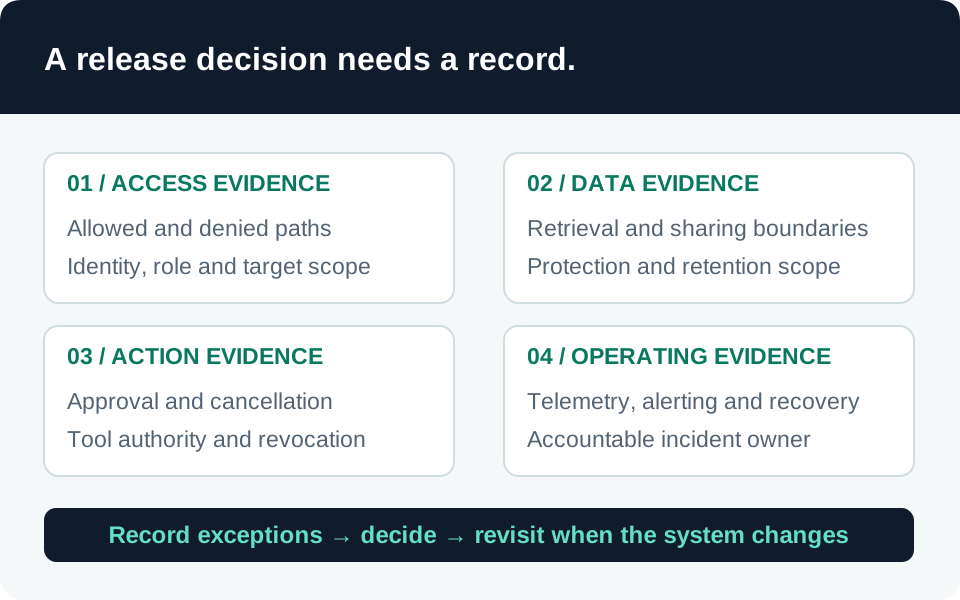
Treat a changed tool connection, retrieval source, model deployment, or authentication setting as a release decision. Code review alone cannot establish the behavior of the assembled AI workload. The checklist below is a recommended acceptance process for your team; it is not a claim that any particular release has passed.
Prerequisites
Name a workload owner, deployment operator, security reviewer, and incident contact. Give them access to a restricted release record and agree who can stop deployment. Define which tests can use synthetic data and which require an approved representative production check.
For Copilot Studio, Microsoft recommends separate development, test, and production environments, with solutions and environment-specific configuration. Use the environment strategy appropriate to your organization rather than treating the maker’s current session as a production test. Copilot Studio ALM.
1. Freeze the candidate and its dependencies
Create a release identifier linked to the exact source revision or exported solution version. Record the model deployment and available version information, prompt configuration, retrieval indexes, connector versions, connection identities, and destination environment. Do not put credentials or live access tokens in this record.
Compare the candidate with the previous release. Highlight any new data audience, permission, endpoint, autonomous action, or channel. If a dependency can change independently, name its owner and explain what event triggers revalidation. A passing test attached to a different configuration is not evidence for this candidate.
2. Collect security acceptance evidence
Use this minimum matrix, adapting expected outcomes to the workload:
| Release question | Evidence to attach |
|---|---|
| Is identity scoped correctly? | Principal and role inventory; allowed and denied resource tests |
| Are data boundaries intact? | Authorized and excluded users tested against representative content |
| Can tools exceed their purpose? | Verified operation, destination, approval, and argument limits |
| Do network assumptions hold? | Tests from intended and excluded network paths where applicable |
| Can responders see activity? | Test event found at the actual investigation destination |
| Can operators contain a failure? | Recorded disablement or rollback procedure with an accountable owner |
Link detailed evidence from identity, connector governance, prompt-injection defense, and telemetry checks. Record failures and exceptions explicitly. Do not translate “test unavailable” into a pass.
3. Verify the target environment
In Copilot Studio, environment variables and connection references carry environment-specific configuration, but some settings require separate attention after deployment. Microsoft’s ALM guidance identifies manual authentication, deployed channels, web-channel security, Application Insights settings, and sharing among the items that are not solution-aware. Post-deployment considerations.
Compare those settings with the approved release record. Verify the published channel as an ordinary intended user and an excluded user. Confirm the production connection belongs to the approved identity, not a developer account left over from testing. Capture configuration identifiers or redacted evidence without copying secrets.
4. Authorize a bounded rollout
Microsoft’s Azure safe-deployment guidance recommends progressive exposure with health checks and stopping recovery decisions. Use a limited initial audience where the product and your delivery process support it; do not imply that every Copilot channel provides a built-in traffic-splitting control. Azure safe deployment practices.
Before release, specify the observation period, successful usage signal, unacceptable security outcomes, and the person who decides whether to expand. Confirm recovery accounts for stateful actions already performed; restoring an old prompt does not undo a sent message or changed record.
5. Close the release or stop it
After deployment, record the actual version, publication time, smoke-test results, monitoring evidence, and decision. A quiet dashboard without usage is weak evidence. For an emergency change, record why checks were accelerated and complete deferred evidence promptly; Microsoft recommends explicit emergency approval criteria and follow-up checks. Power Platform safe deployments.
Common failures are approving an earlier build, forgetting manually configured channels, and leaving exceptions ownerless. Preserve the final release record so investigators can reconstruct what was running when an event occurred.
Go to the source