
A sensitivity label, a source permission, and a DLP rule express different decisions. One identifies handling requirements, another determines access, and another can restrict a supported processing path. An effective rollout must test their combined behavior in each Copilot experience. This guide concerns Microsoft 365 Copilot and associated supported experiences; it does not imply that the same Purview policy automatically protects a custom Azure application.
Build a protection contract per experience
Inventory the application surface, data source, item type, user population, label, encryption settings, and applicable DLP location. Include stored documents, actively open Office files, email, external connectors, browser content, and direct file uploads. Do not record only “Copilot” as the workload: the path by which content enters the interaction changes the available controls.
Microsoft describes Copilot protection through existing permissions, sensitivity labels, and encryption, with additional auditing and governance capabilities. Use that architecture as a map of cooperating services rather than evidence that every source has identical semantics. Data-protection architecture.
Our recommended contract states three separate expected results: whether the user can access the source, whether Copilot can process its contents, and whether metadata or citations may still appear. Add a fourth result for copied or exported outputs. Keeping these decisions separate prevents a blocked summary from being mistaken for revoked source access.
Select controls using the current support matrix
The Copilot DLP location supports label-based processing restrictions and distinct prompt controls. The prompt sensitive-information-type blocking feature is preview and subject to tenant rollout. Blocking web search and blocking prompt processing are different actions. Label-restricted items may remain visible in citations; direct uploaded-file contents are not scanned by the prompt-text control. Supported email coverage starts with messages sent on or after January 1, 2025; calendar invites are excluded. In Word, Excel, and PowerPoint, relevant label restrictions are evaluated when the file opens. DLP behavior and availability.
Turn those boundaries into tests instead of hiding them in a footnote. A synthetic sensitive string typed directly into a prompt and the same string inside an uploaded attachment are different cases. A label applied during an existing Office session needs a reopen test. A citation containing a document title can matter even when the document body is excluded.
External-source labels and encryption are not universally recognized by Copilot Chat through extension paths such as connectors. Label inheritance also has workload-specific limitations. Check the documented considerations for the actual ingestion and application route. Purview coverage considerations.
Confirm entitlement and administrative separation
Use the current Purview service description to verify entitlement by feature and user population. It distinguishes file/email processing restrictions from prompt safeguards; a Copilot entitlement alone is not a reliable substitute for checking the specific Purview capability. Record the chosen plan and tenant availability with the policy evidence. Purview feature licensing.
Separate policy authorship from permission to inspect interaction content. Our operating model gives routine policy administrators the least access necessary to change rules and uses a distinct investigation process for prompts or responses. Review role inheritance and export privileges, not only the Purview page a user can open.
For agent deployments, combine DLP processing boundaries with the documented controls for protecting and governing interactions. Risk signals and posture findings should initiate investigation; they do not prove that every flagged request disclosed data. Agent interaction protection.
Use a controlled canary corpus
Create synthetic documents with distinct markers for allowed, denied, labeled, encrypted, externally connected, and uploaded content. Assign two test users with deliberately different source permissions. Verify those permissions directly before running Copilot prompts, so a failed retrieval can be attributed to the intended boundary rather than an indexing problem.
Run the same task through the supported surfaces and capture the application/version, policy state, label state, prompt time, returned content, citations, and audit identifiers. Avoid placing real secrets into a test prompt simply to see whether the policy catches them. Treat content returned in a citation preview or export as part of the result.
| Case | Acceptance criterion |
|---|---|
| User lacks source permission | Protected content is unavailable through the tested experience |
| User has access but processing is restricted | Body is excluded; any remaining citation behavior is documented |
| Sensitive prompt text | The selected prompt or web-search action behaves as configured |
| Sensitive text inside an uploaded file | Coverage limitation is recorded and a separate approved control exists |
| Label changed while a file is open | Reopen behavior is verified before claiming enforcement |
| External connector or unsupported item type | No unsupported label/DLP guarantee appears in the rollout record |
| Allowed control document | Legitimate work remains possible, detecting overbroad policies |
Operate changes without overstating coverage
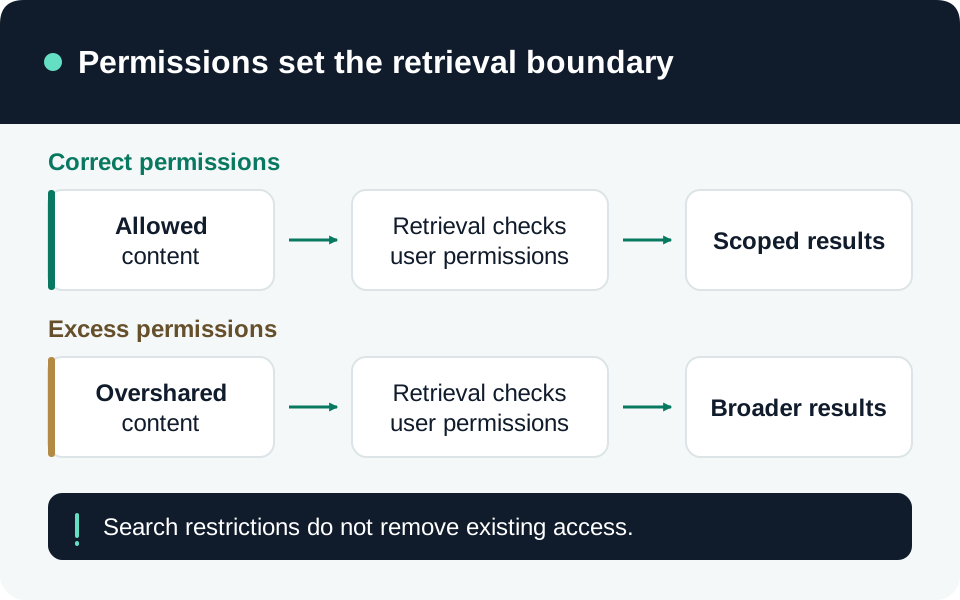
Deploy to a representative pilot and distinguish policy evaluation from source-permission remediation. DLP can restrict processing in a supported route while the underlying overshared file remains accessible to the user elsewhere. Continue the oversharing remediation process instead of treating DLP as a replacement.
Recheck the corpus after new clients, connector changes, policy updates, and preview rollout changes. Keep false positives and exceptions tied to a specific rule and business owner. Preserve the exact evidence that justified coverage claims, then use the Copilot investigation guide when an observed interaction differs from that contract.
Go to the source
References & further reading
- Microsoft Learn — DLP for Microsoft 365 Copilot and Copilot Chat
- Microsoft Learn — Purview considerations for Microsoft 365 Copilot
- Microsoft Learn — Copilot data protection and auditing architecture
- Microsoft Learn — Microsoft Purview service description
- Microsoft Learn — Protect Microsoft 365 Copilot agent interactions